
Use Cases
Here are some examples of what you can do with the Intruder MCP server. These are plain-English prompts you'd type into your AI assistant, and it makes the API calls for you.
Add and scan targets
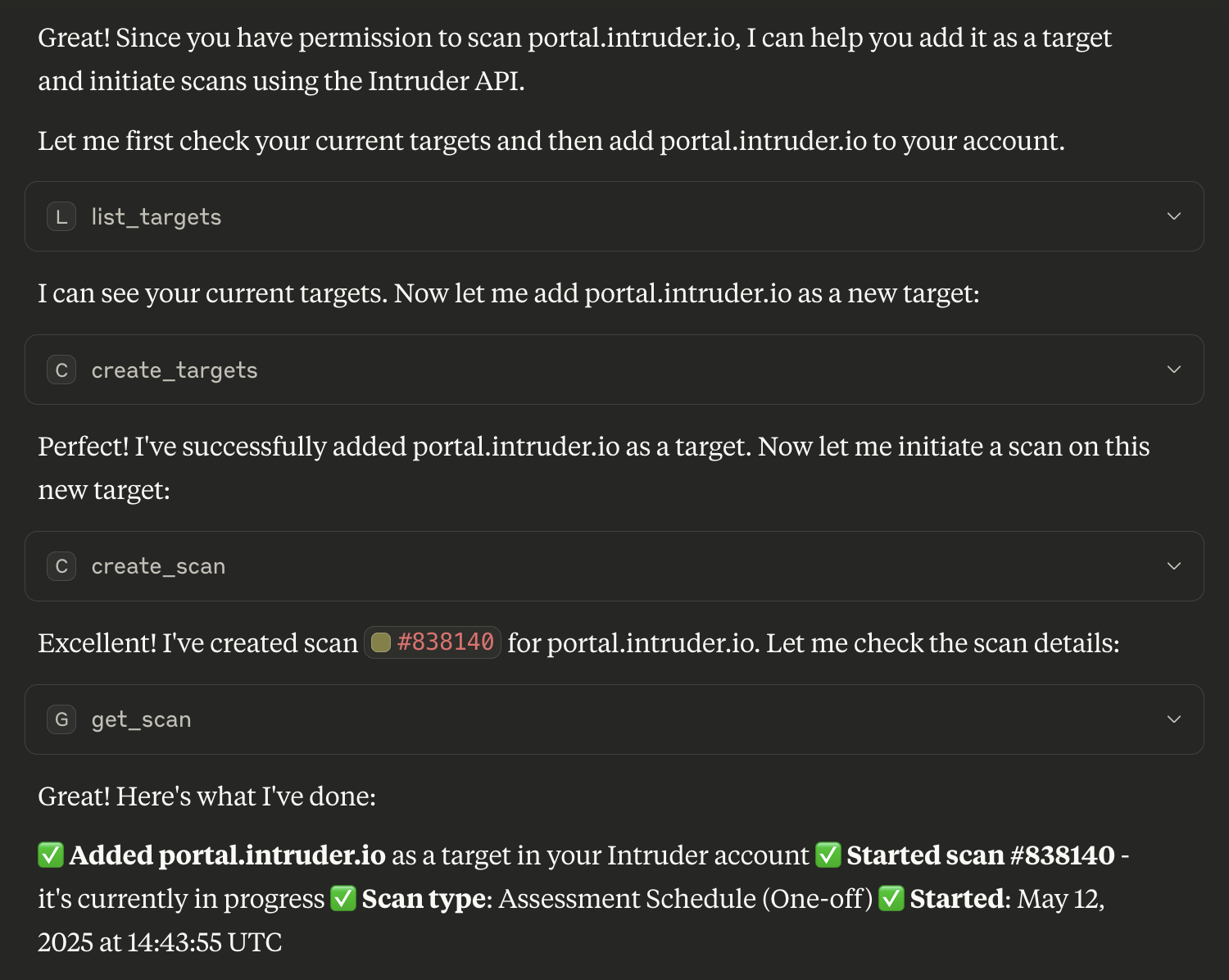
Need to assess the security of a new asset? It's as simple as asking:
"Add our new production server prod.example.com to Intruder and run a scan."
The assistant adds the target, starts the scan, and reports back with the results.
Prioritise issues
Have a conversation with your AI assistant to understand which issues to tackle first:
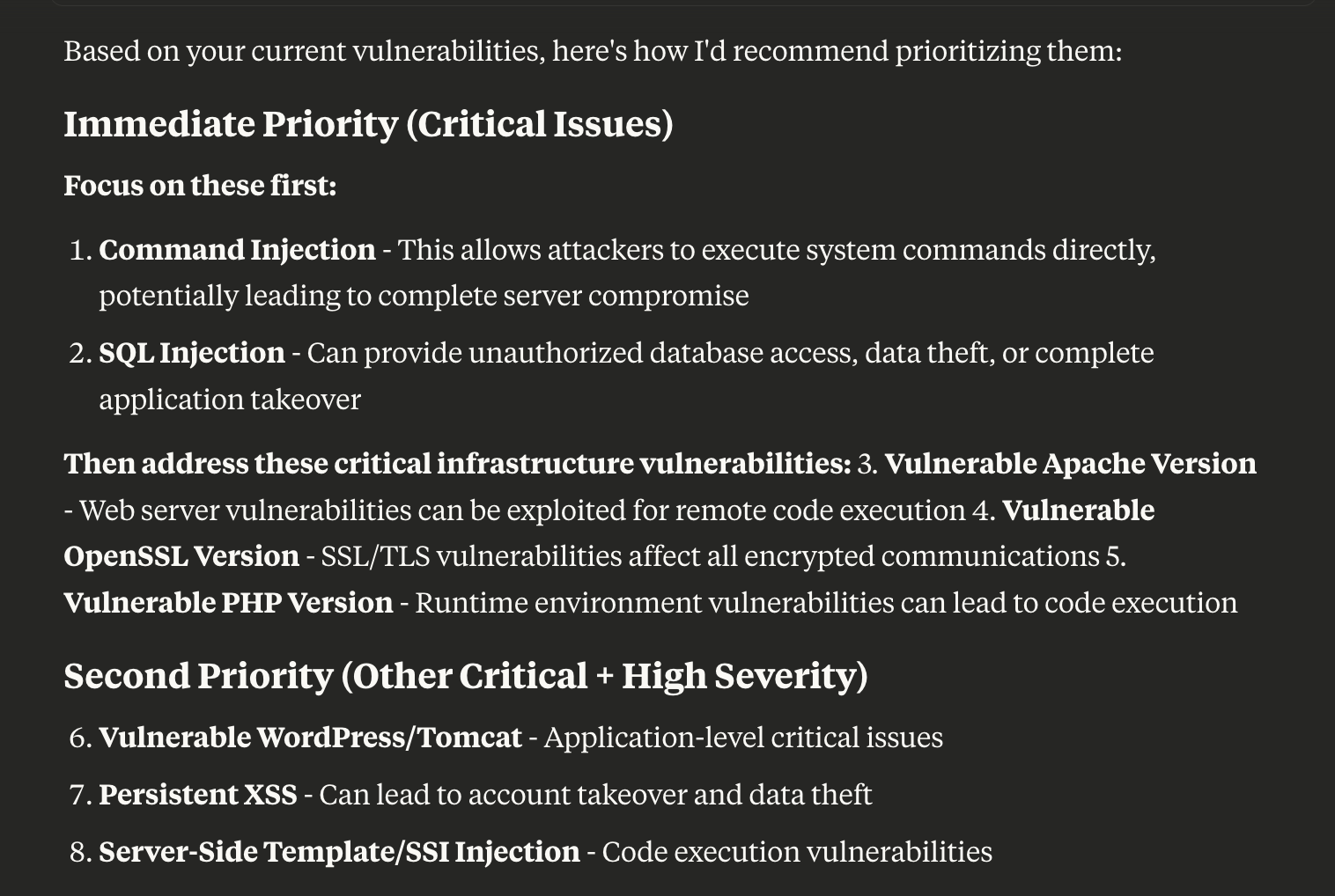
"Show me the critical vulnerabilities for our web apps, and suggest which to prioritise based on exploitability and potential business impact."
The assistant can use context like severity, exploit likelihood and CVSS scores from Intruder to help your team focus on the most pressing risks.
Produce management summaries
Save time by generating stakeholder-ready summaries:
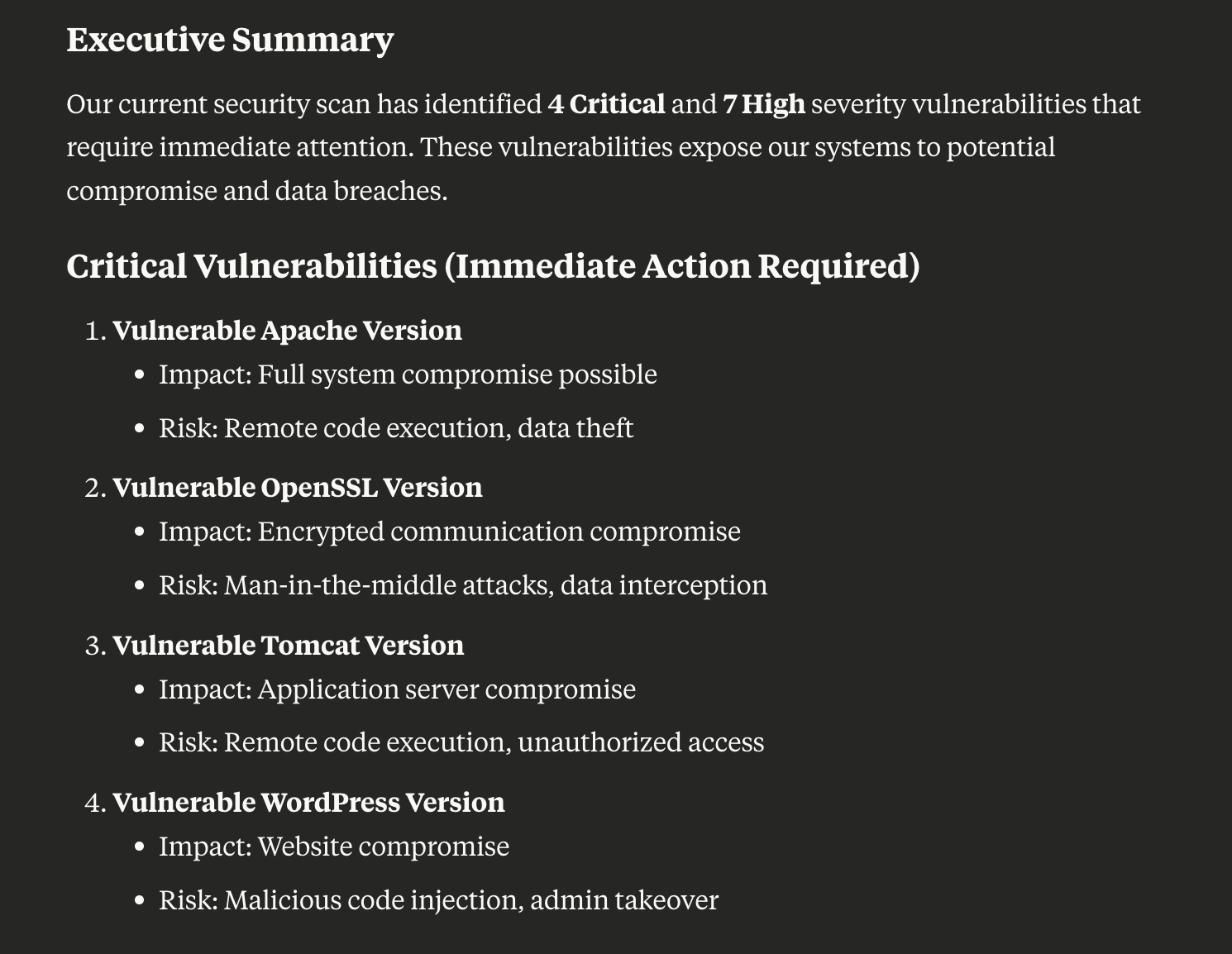
"Summarise our current vulnerabilities for the leadership team, highlighting critical issues and upcoming remediation plans."
The assistant writes a concise, business-friendly summary that can be shared directly with stakeholders.
Validate and remediate vulnerabilities
Get hands-on guidance for confirming and fixing findings:
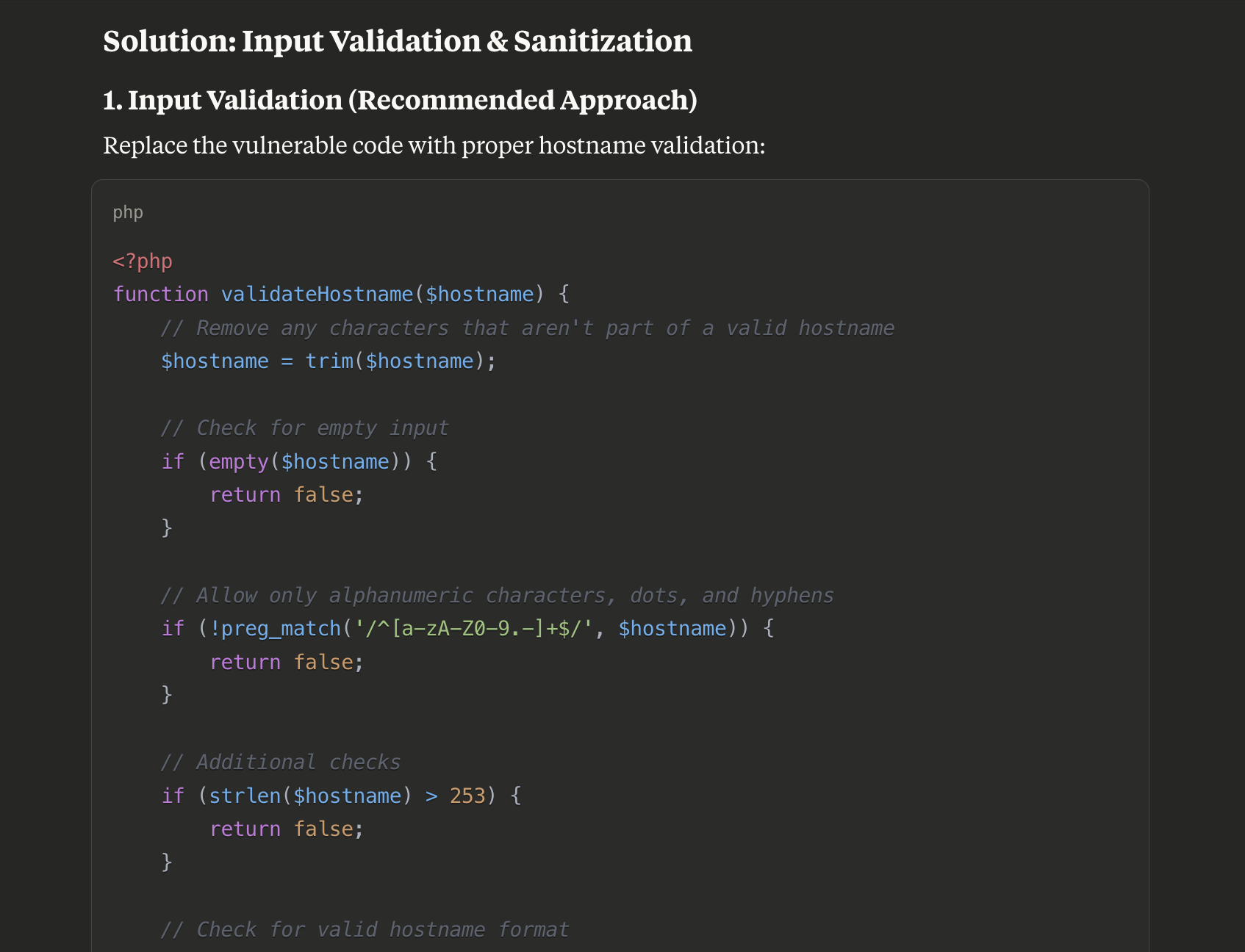
"Guide me through reproducing the SQL injection vulnerability on api.example.com and provide a remediation plan tailored to our tech stack."
The assistant retrieves the scanner output and occurrence details, then gives actionable, context-aware remediation advice.
Explore your attack surface
Find out what you're exposing to the internet:
"Which of my targets are exposing SSH or RDP?"
"Which TLS certificates expire in the next 30 days?"
The assistant lists the open ports, products and versions found on your targets, and can filter by port, service or certificate expiry.
Organise your targets
Keep your targets organised and under control:
"Tag all of our staging servers and show me which targets are currently unresponsive."
The assistant can list targets by status and apply tags, giving you a clear picture of your targets.
Schedule scans
Set up recurring scans without leaving your AI assistant:
"Scan everything tagged
externalevery week, starting next Monday at 3am."
The assistant creates the scan schedule, and can list, change or delete your existing schedules.
Check license usage
Stay on top of your account capacity:
"How many infrastructure and application licenses do we have left?"
The assistant retrieves your current license totals and consumption, so you know where you stand before adding new targets.
Snooze findings
Manage noise without losing track of accepted risks:
"Snooze the TLS 1.0 findings on our legacy servers as accepted risk for 90 days."
The assistant snoozes each matching occurrence with the right reason and duration, keeping your issue list focused on actionable items.
Updated about 9 hours ago